Most of the time, SaaS companies don’t stick to just one product as they grow. What begins as a single platform often grows into several tools, dashboards, connectors, and user journeys. This growth is fantastic, but it also brings a big problem: making sure that the user experience is always the same, easy to understand, and ready to expand with the products.
This is where UI UX design systems come in. They are the most important part of a successful multi-product SaaS company. A well-organised design system helps teams work faster, cut down on mistakes, and give users a smooth experience that they can trust right away.
This blog will talk about why design systems are important for multi-product SaaS, how to make scalable design systems, and how a SaaS design agency takes a strategic approach to this problem.
What does “design system” mean in SaaS?
A style guide is not the same thing as a design system. It is a living ecosystem of reusable parts, design guidelines, UX principles, and documented SaaS UI patterns that teams utilise to make things in the same way every time.
For a SaaS company that sells more than one product, a design system usually includes:
1. Buttons, forms, modals, tables, and navigation are all UI components.
2. Rules for space, colour palettes, and typefaces
3. Rules for interacting and moving around
4. Documentation and rules for using the UX approach
5. Standards for accessibility and responsiveness
UI UX design systems adapt as products expand, new features are introduced, and user needs change. This is different from static UI kits.
The Need for Design Systems in Multi-Product SaaS
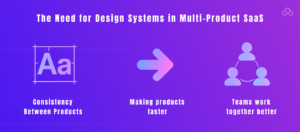
1. Consistency Between Products
People expect things to be familiar. It should seem like the same thing when they switch from one product to another in the same SaaS ecosystem.
Without a common design system:
– Buttons work differently on different products
– Unexpected changes in navigation patterns
– Visual styles don’t seem to go together.
2. Making products faster
In SaaS, speed is really important. Design systems save down on repeated effort by letting teams use proven parts instead of starting from scratch.
Product teams can:
– Get new features out faster
– Cut down on design and development roadblocks
– Put more effort into fixing user issues than making UI decisions.
One of the key reasons why fast-growing organisations work with a SaaS design agency early on is because of how efficient they are.
4. Teams work together better
A lot of the time, multi-product SaaS organisations have:
– Several product managers
– Design teams that are spread out
– A few engineering teams
A shared design system is the only place where you can find the truth. Designers, developers, and stakeholders all use the same visual and UX language, which cuts down on misunderstandings and extra labour.
Key Parts of Scalable Design Systems
To make a design system that works with more than one SaaS product, you need to think about UX and have a long-term plan.
1. UI parts that can be put together
This component-based approach makes interfaces easier to scale, maintain, and update across multiple products.
Here are several examples:
– Buttons for primary and secondary use
– Input fields that check for errors
– Data tables with filters and sorting
– Banners and tooltips for notifications
These parts should be able to change to fit different items while still being the same.
2. Clear UI Patterns for SaaS
– Multi-product platforms depend a lot on well-known SaaS UI patterns, like dashboards with KPIs.
– Onboarding flows with more than one step
– Access controls based on roles
– Forms and workflows that are hard to understand
Writing down these patterns ensures that all products follow the same rules for how to interact with them, which makes them easier to use and less mentally taxing for users.
3. Make design tokens that can grow
Design tokens set organised values for things like colours, space, font, and shadows. Like this:
– Token = primary colour
– Font size scale = token
– Token = border radius
Tokens let teams change the branding or themes of all their products without having to individually revamp each interface.
4. Easy to get to and quick to respond
Modern SaaS solutions must be accessible. And a strong design system has:
– Rules for colour contrast
– Standards for navigating with a keyboard
– Works with screen readers
How a SaaS Design Agency Makes Design Systems
Working with a dedicated SaaS design agency adds structure, knowledge, and speed to the process. This is how agencies usually handle it:
1. Check the products you already have
– Inconsistencies in the current UI
– Problems with usability and UX gaps
– Components that can be used again
This audit provides the basis for the design system.
2. Set rules and principles
Design principles serve as boundaries. They tell you how things should feel and act. For instance:
– Simplicity over complication
– Efficiency for power users
– Accessibility by default
These rules will help you make design choices for all of your goods in the future.
3. Build the system and write down how it works
A design system only works if it is well-documented. Agencies make extensive records that cover:
– How to use components
– What to do and what not to do
– Best practices for UX
– Guidelines for handing off to a developer
This documentation makes sure that teams will use it for a long time.
4. Ongoing support and iteration
There is no end to design systems. The system needs to change as the products do.
Professional UI/UX design services include regular upgrades, improvements, and support to make sure the system grows with the business.
How SaaS Design Systems Help Businesses
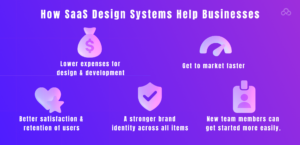
Putting money into UI UX design systems pays off measurably:
– Lower expenses for design and development
– Get to market faster
– Better satisfaction and retention of users
– A stronger brand identity across all items
– New team members can get started more easily.
Design systems are no longer optional for SaaS organisations that sell more than one product. They help things grow.
In conclusion
Without the correct basis, managing design across several SaaS products may soon turn into a mess. UI UX strategy make things more organised, consistent, and scalable, so teams can focus on coming up with new ideas instead of making the same design choices again and over.
Working with a qualified SaaS design agency ensures that this foundation is constructed appropriately from the start and keeps changing as the business grows.
FAQs
1. What are SaaS UI UX design systems?
UI UX design systems are organised groups of reusable parts, UX strategy, and visual standards that assist SaaS teams in making products that work well on many platforms and are easy to grow.
2. What makes scalable design systems crucial for SaaS that offers more than one product?
Scalable design systems let a SaaS design agency add new features or products without having to start over from scratch. This makes sure that everything is consistent, fast, and works better for users.
3. How do SaaS UI paradigms make things easier to use?
SaaS UI patterns give consumers common ways to interact with things, which cuts down on learning time and makes it easier to understand complicated workflows across different products.
4. When should a company that makes software as a service (SaaS) invest in a design system?
A SaaS design agency should spend early, especially if they expect to make more than one product or add new features quickly. Design systems can also be put in place while a company is growing.
5. What part do UI UX design services play in design systems?
Professional UI UX design services assist in establishing a strategy, producing scalable components, and documenting systems correctly.
Do you like to read more educational content? Read our blogs at Cloudastra Technologies or contact us for business enquiry at Cloudastra Contact Us.