Table Triggers and Indexes
1. Understanding Table Triggers
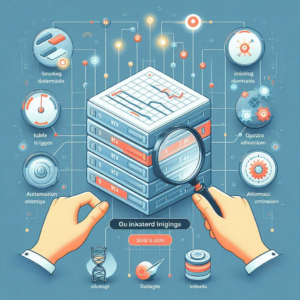
Table triggers are a powerful feature in relational database management systems (RDBMS). They allow developers to automatically execute a specified action in response to certain events on a table. These events can include actions such as inserting, updating, or deleting records. Triggers help maintain data integrity, enforce business rules, and automate system tasks. Additionally, when used in conjunction with table indexes, triggers can optimize performance by ensuring efficient data retrieval and maintaining consistency in indexed data structures.
2. Types of Triggers
Row-Level Triggers
These triggers execute once for each row affected by the triggering event. For example, if an update modifies ten rows, the trigger fires ten times.
Statement-Level Triggers
These triggers execute once for the entire SQL statement. This can be more efficient when the action does not depend on individual row data.
BEFORE Triggers
These triggers execute before the triggering event occurs. They are often used to validate or modify data before it is written to the database.
AFTER Triggers
These triggers execute after the triggering event. They are typically used for actions that should happen after data has been modified, such as logging or updating related tables.
INSTEAD OF Triggers
These triggers replace the standard action that would occur for the triggering event. They are particularly useful for views that are not updatable.
Use Cases for Table Triggers
Triggers can enforce business rules by validating data before it is inserted or updated. For example, a trigger can prevent the insertion of a record if a certain condition is not met.
Triggers can also log changes to a table for auditing. An AFTER UPDATE trigger can record old and new values of a modified row in an audit table.
Triggers can automatically perform related actions when a row is modified. Deleting a record from a parent table can trigger the deletion of related records in child tables.
While foreign keys enforce referential integrity, triggers can provide additional checks or actions when relationships between tables change.
3. Implementing Table Triggers
The syntax for creating triggers varies between RDBMS, but the general structure is similar. Here is an example of how to create a simple trigger in SQL Server:
“`sql
CREATE TRIGGER trgAfterInsert
ON Employees
AFTER INSERT
AS
BEGIN
INSERT INTO AuditTable (EmployeeID, Action, ActionDate)
SELECT EmployeeID, ‘Inserted’, GETDATE()
FROM inserted
END
“`
In this example, the trigger `trgAfterInsert` is defined on the `Employees` table. It executes after a new record is inserted, logging the action into an `AuditTable`.
4. Performance Considerations
While triggers provide benefits, they can also introduce performance overhead. Here are some considerations:
Triggers can slow down the performance of DML operations (INSERT, UPDATE, DELETE). They add additional processing steps.
Overusing triggers can create complex interdependencies that make the database harder to maintain. Debugging triggers can be challenging since they execute automatically in response to events.
5. Understanding Indexes
Indexes are a critical component of database performance optimization. They are special data structures that improve the speed of data retrieval operations on a table. However, they come at the cost of additional space and slower write operations.
6. Types of Indexes
Clustered Index
A clustered index determines the physical order of data in a table. Each table can have only one clustered index, as the data rows can only be sorted in one order.
Non-Clustered Index
A non-clustered index creates a separate data structure that points to the actual data rows. A table can have multiple non-clustered indexes, improving query performance for various search conditions.
Unique Index
A unique index ensures that indexed columns do not contain duplicate values. This is often used to enforce uniqueness on a column or a combination of columns.
Full-Text Index
This type of index is used for full-text searches. It allows for complex queries against character data.
Composite Index
A composite index is an index on two or more columns of a table. It can improve performance for queries that filter on multiple columns.
7. Benefits of Indexes
Indexes significantly speed up data retrieval operations. They make it possible to search large tables efficiently.
Indexes can also improve the performance of ORDER BY clauses. The data is already sorted according to the index.
Indexes enhance the performance of JOIN operations. They allow the database engine to quickly locate matching rows.
8. Drawbacks of Indexes
Indexes consume additional disk space. The more indexes a table has, the more storage is required.
Each time a row is inserted, updated, or deleted, the database must also update any associated indexes. This can slow down write operations.
Indexes require maintenance, especially in tables with frequent updates. Fragmentation can occur, necessitating periodic rebuilding or reorganizing of indexes.
9.Best Practices for Using Triggers and Indexes
Use triggers judiciously. Only use them when necessary, and consider whether the same functionality can be achieved through application logic.
Keep triggers simple. Complex triggers can lead to performance issues and make debugging difficult.
Regularly monitor the performance of your database to identify issues caused by triggers or indexes. Use database profiling tools to analyze query performance.
Avoid indexing every column. Focus on columns frequently used in WHERE clauses, JOIN conditions, or ORDER BY clauses.
Periodically review and optimize your indexes. Remove unused indexes and consider consolidating multiple indexes into composite indexes where appropriate.
Always test the impact of adding or modifying triggers and indexes in a development environment before deploying changes to production.
10. Conclusion
If you are looking for software services, visit Cloudastra Technologies. We help businesses optimize their software solutions and improve efficiency. Contact us for more business inquiries!
Do you like to read more educational content? Read our blogs at Cloudastra Technologies or contact us for business enquiry at Cloudastra Contact Us.